需要一个服务器,然后新建一个站点,然后用NGINX进行配置,其中反代配置如下
location / {
        proxy_pass https://translate.googleapis.com/;
        proxy_redirect https://translate.googleapis.com/ /;
        proxy_cookie_domain translate.googleapis.com [你的域名];
        proxy_set_header User-Agent $http_user_agent;
        proxy_set_header Accept-Encoding "";
        sub_filter_once off;
        add_header Cache-Control no-cache;
        sub_filter "http://translate.googleapis.com" "http://[你的域名]";
        sub_filter "https://translate.googleapis.com" "https://[你的域名]";
        add_header Strict-Transport-Security "max-age=31536000";
        proxy_set_header Accept-Language "zh-CN";
    }
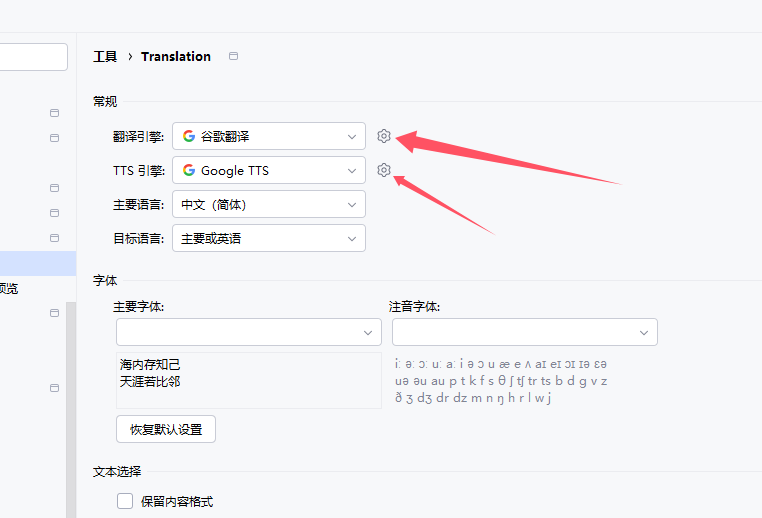
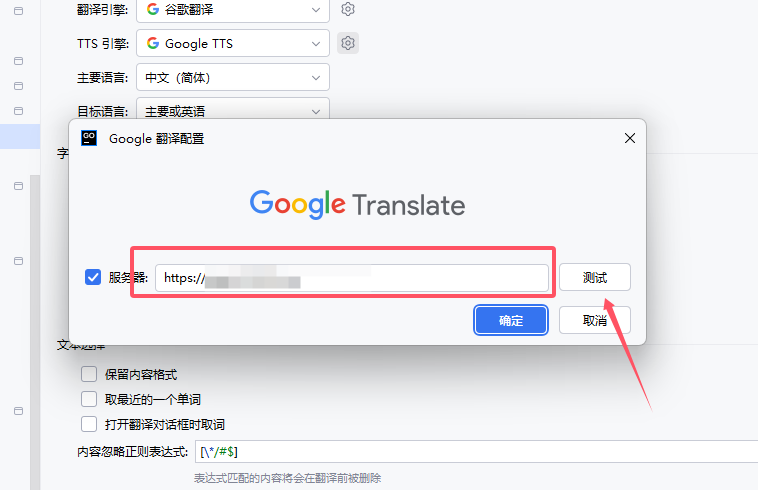
上面只是反代部分的配置,其他的按照NGINX的默认配置即可,配置完成后放到插件里面测试,我以ide插件示范